Every tow, from first call to release.
Dispatch, impound records, billing and reports, with a driver app and FoxTow AI.
Since 1989 · 37 years in towing software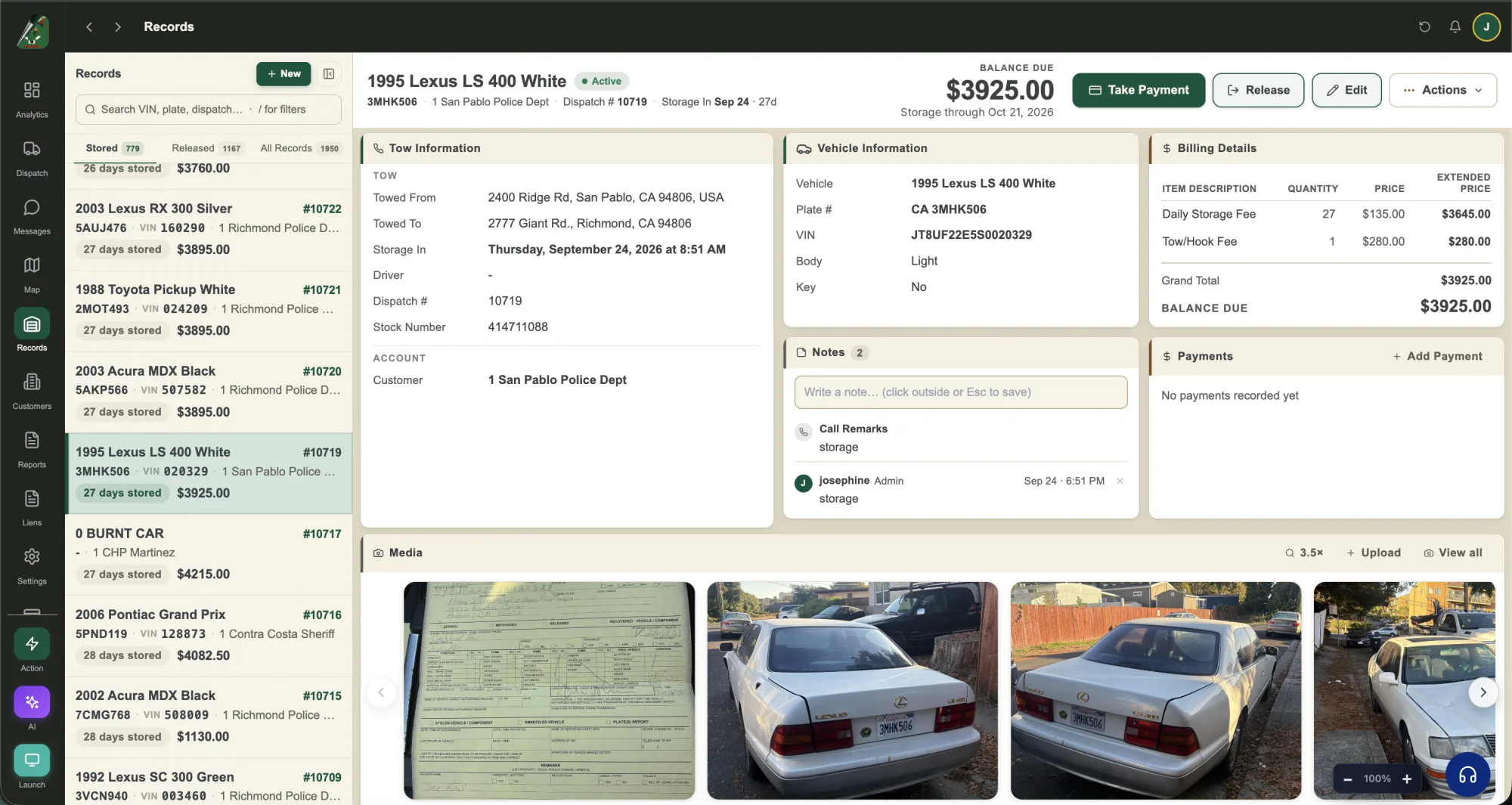
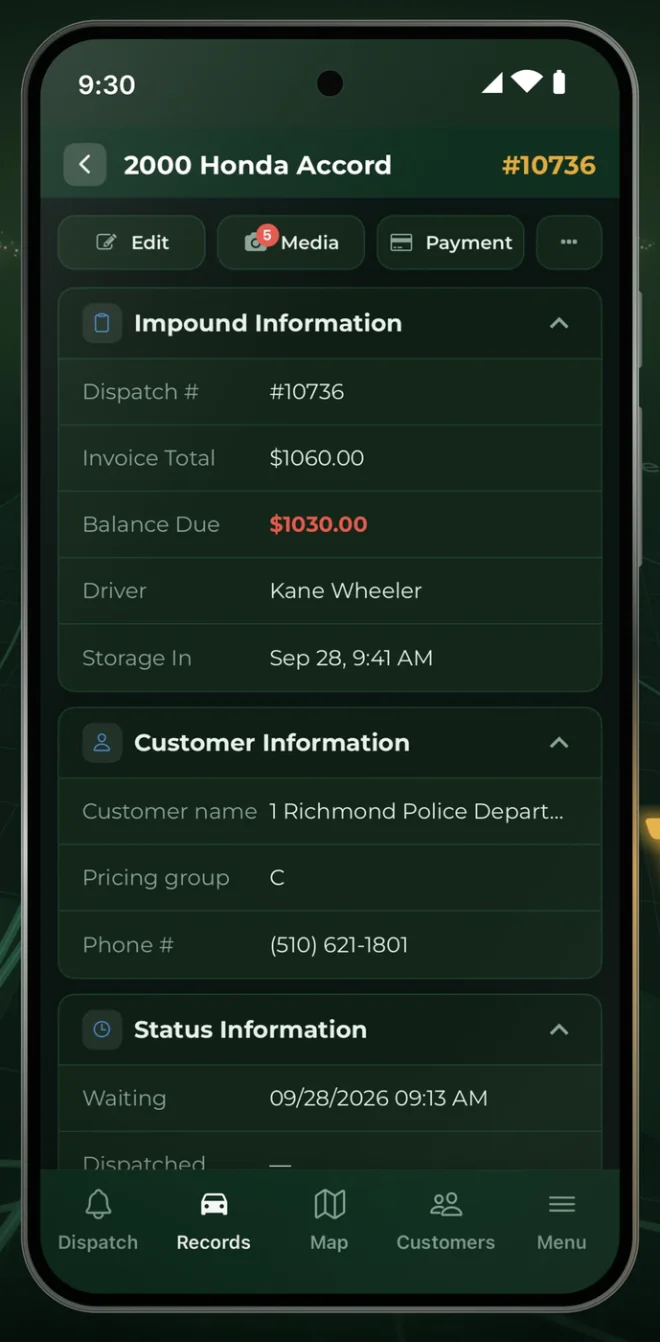
Your drivers work from the FoxTow app
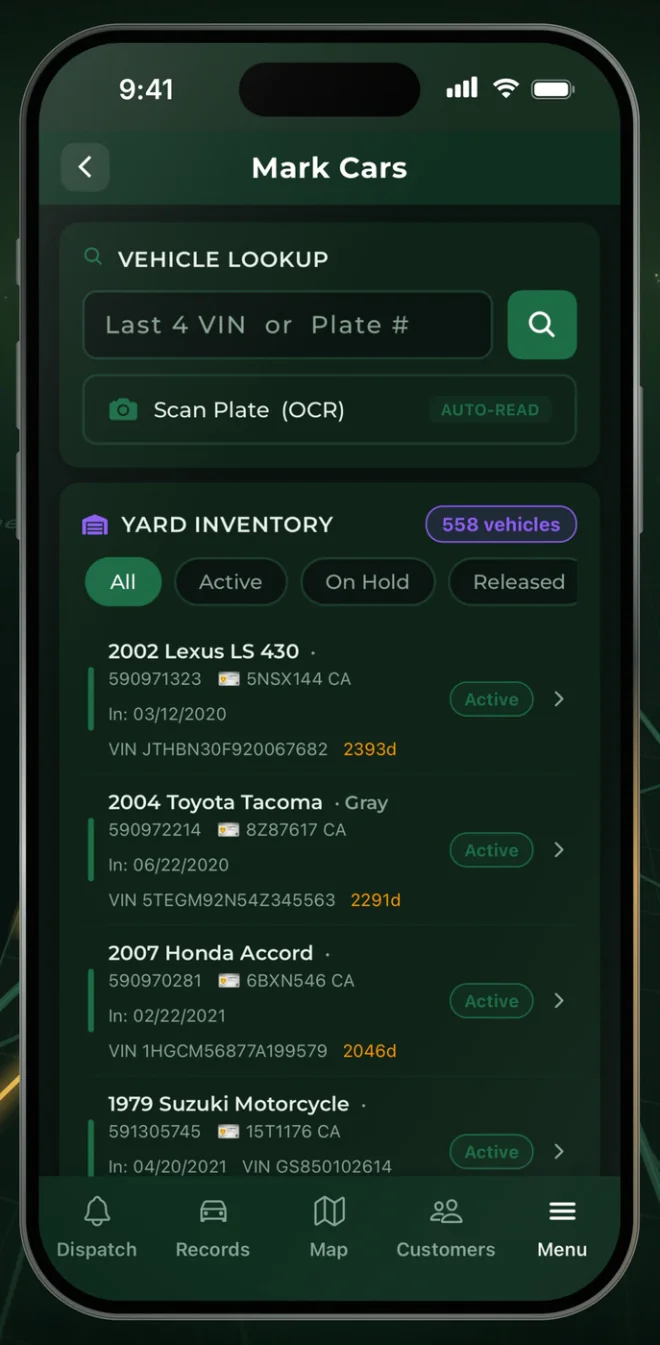
Drivers get each call on the map with directions, then add photos and signatures to the record. In the yard, they find any car by the last 4 of the VIN or the plate, or scan the plate with the camera.
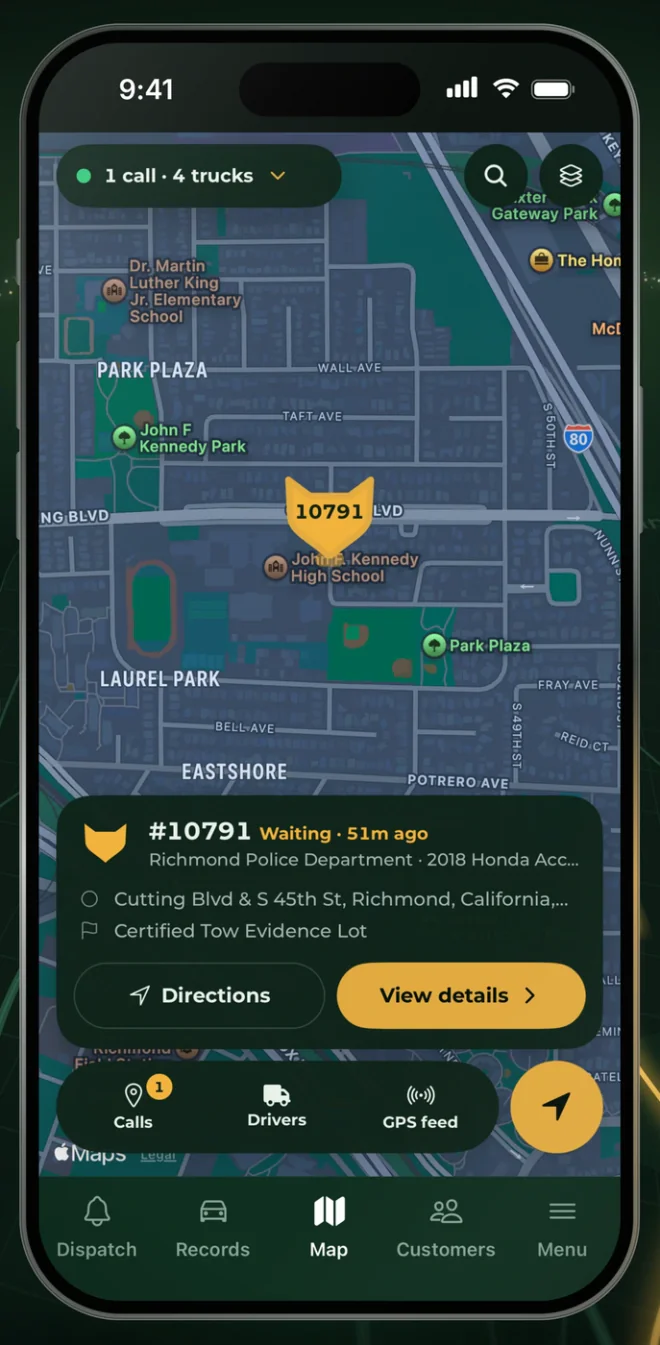
Every truck, live on one map.
See each truck, its driver and whether it’s en route or towing, “LIVE”
How a tow moves through FoxTow
- 1
Call comes in
New calls flag themselves the moment they land.
- 2
Assign a truck
See who's free on the live map and assign the call.
- 3
Track it live
Follow routes and ETAs, and re-route in real time.
- 4
Get paid
Photos and signatures in the driver app, then invoice and take payment.
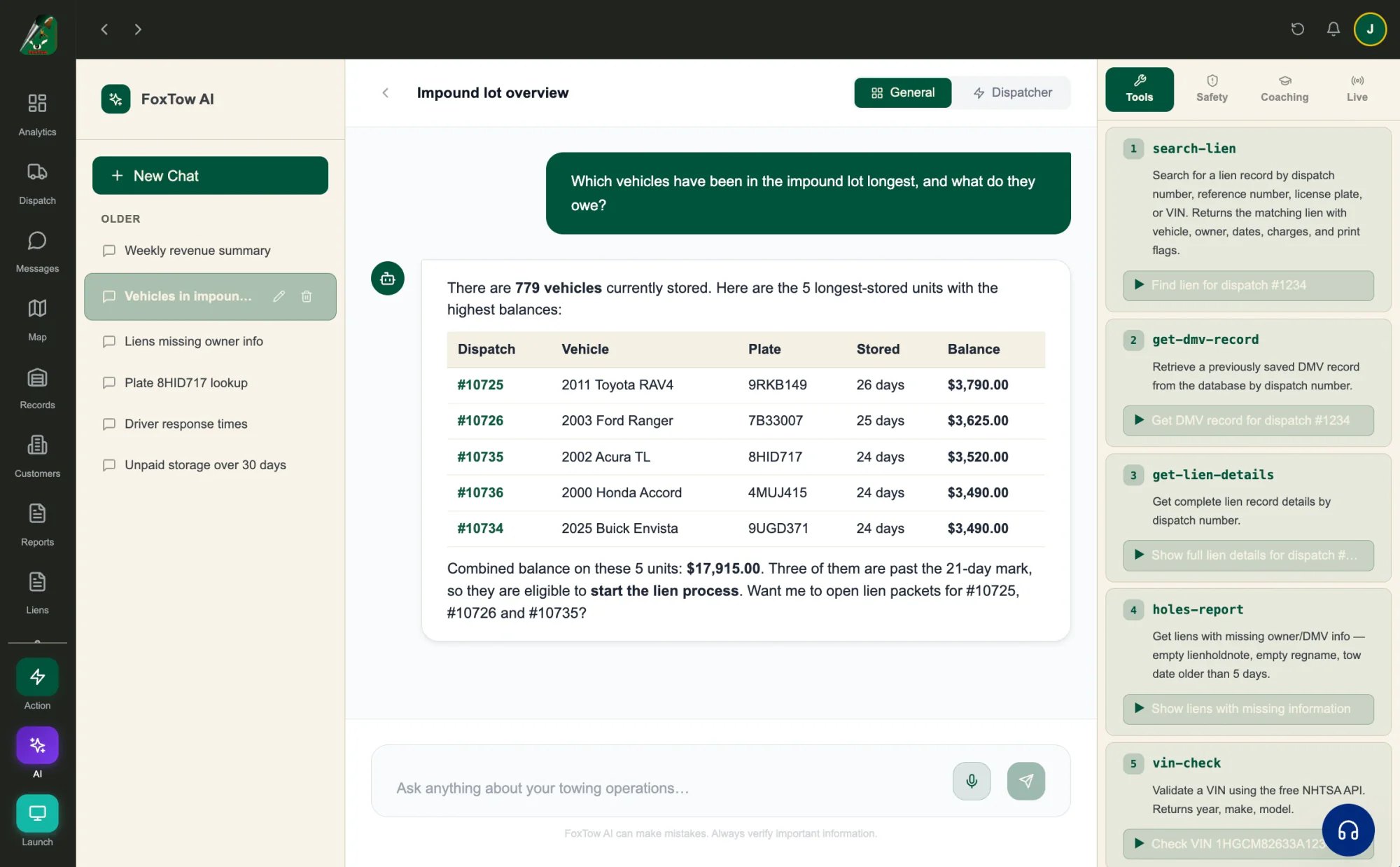
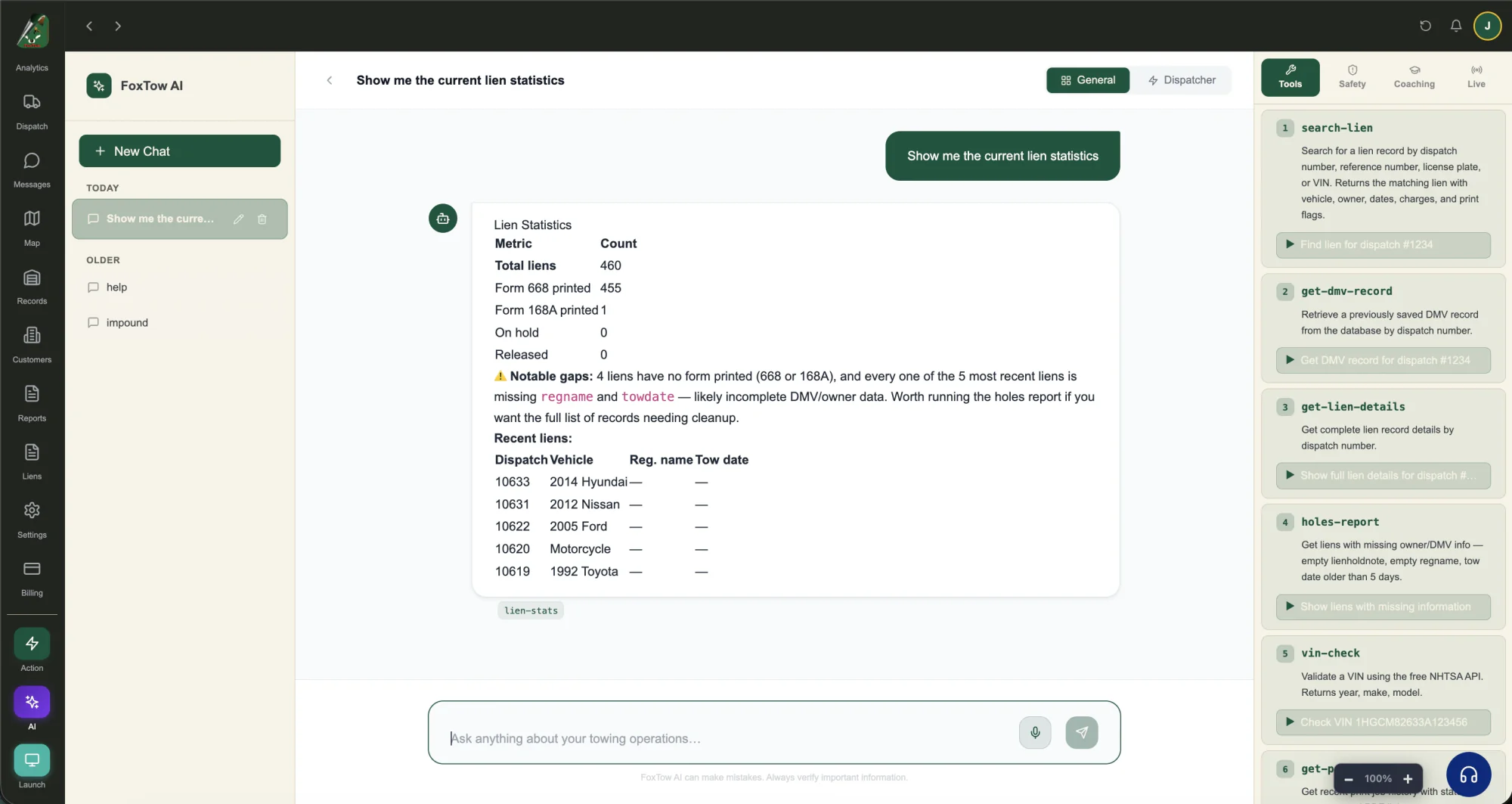
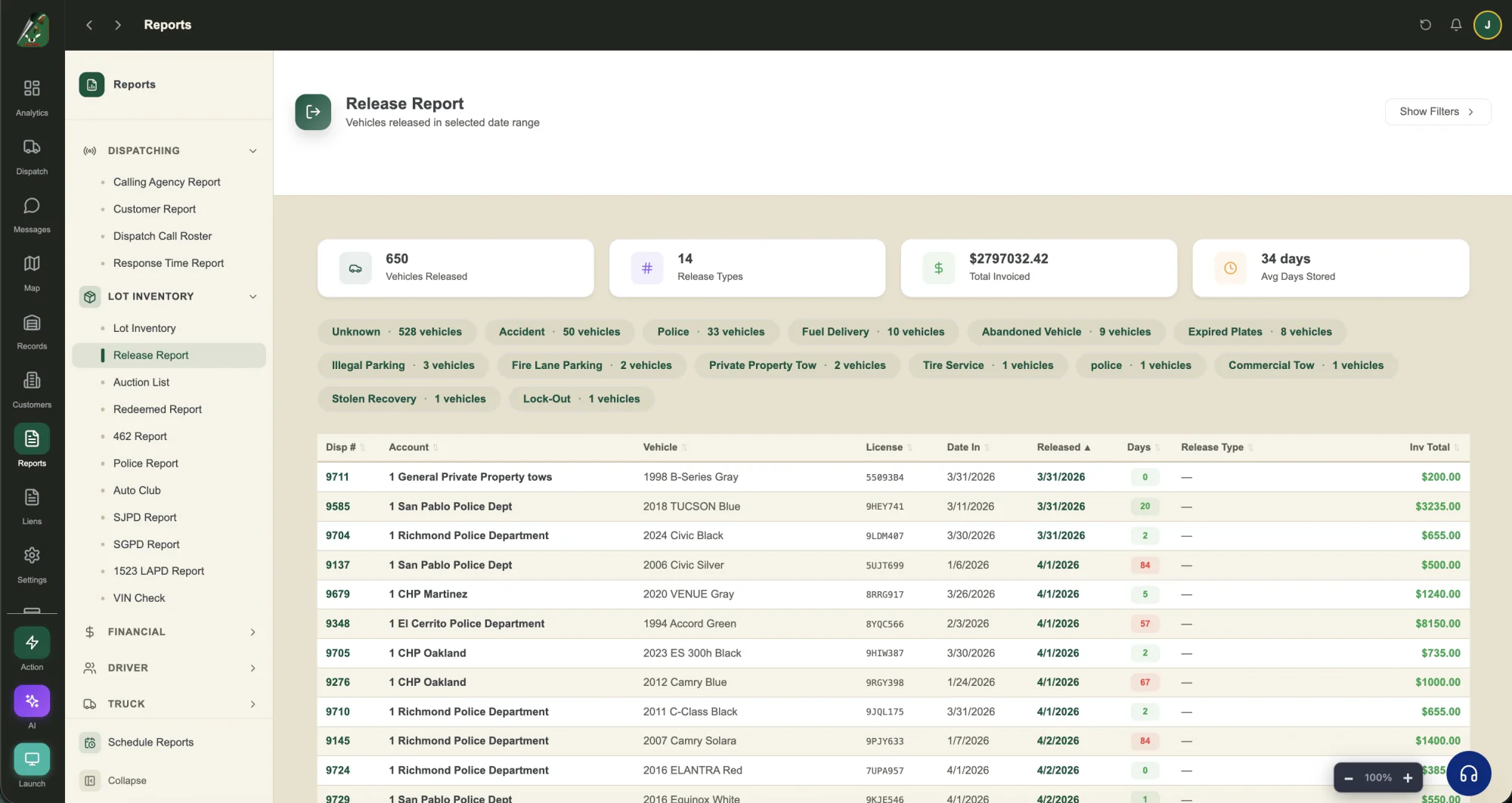
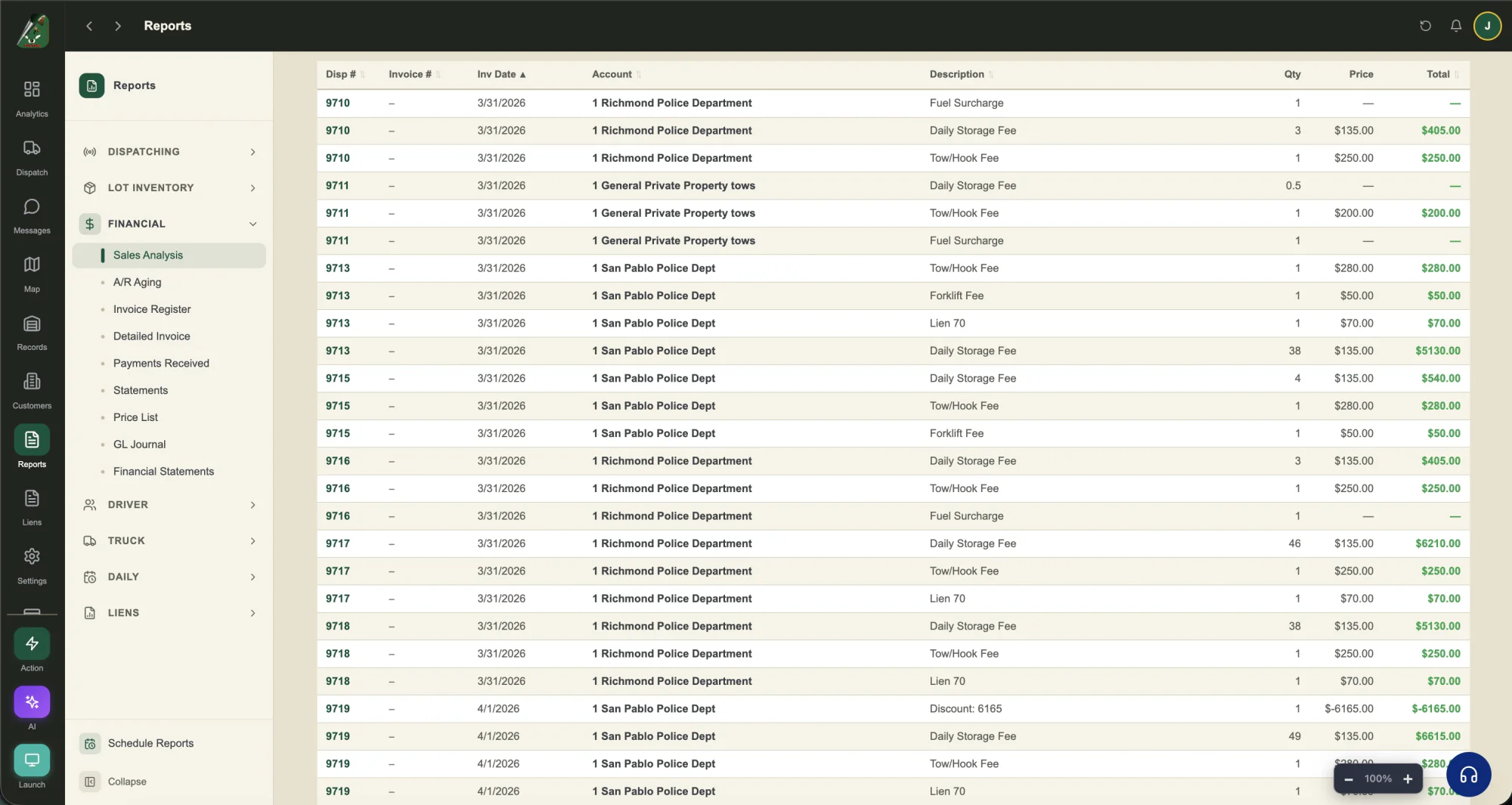
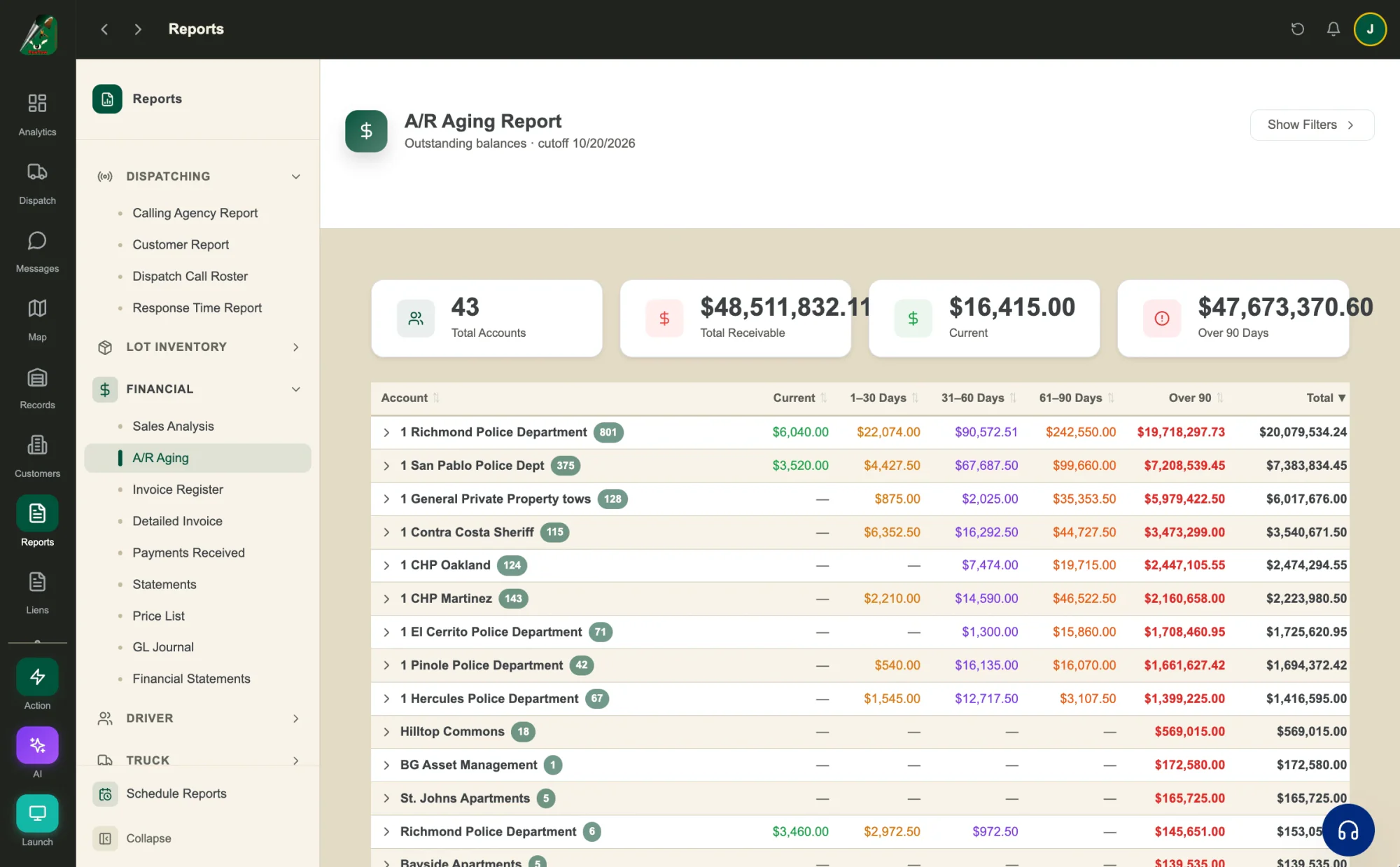
Ask FoxTow AI about your yard.
Ask which cars have been stored longest and what they owe. FoxTow AI answers from your records with a table and the next step.
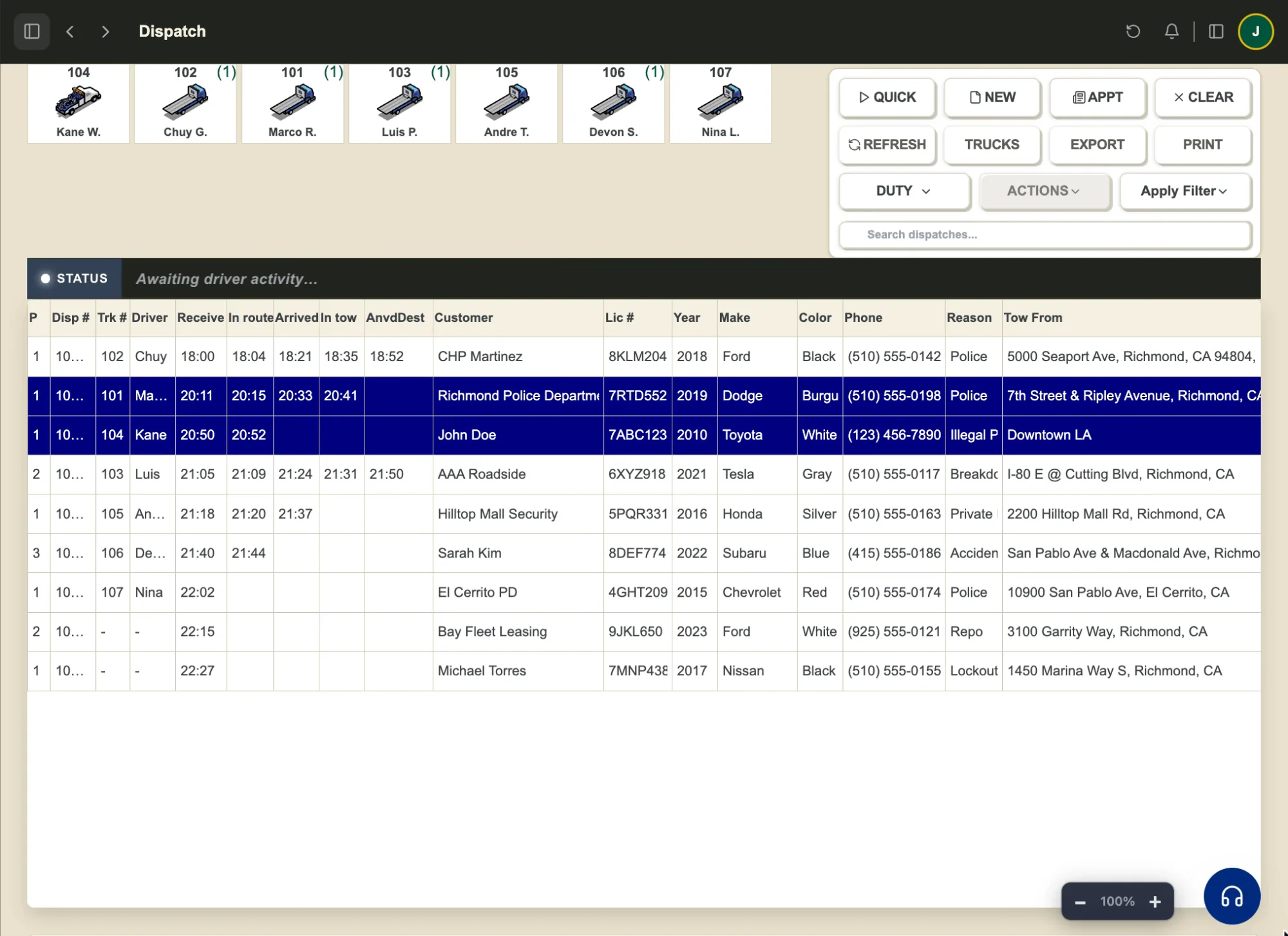
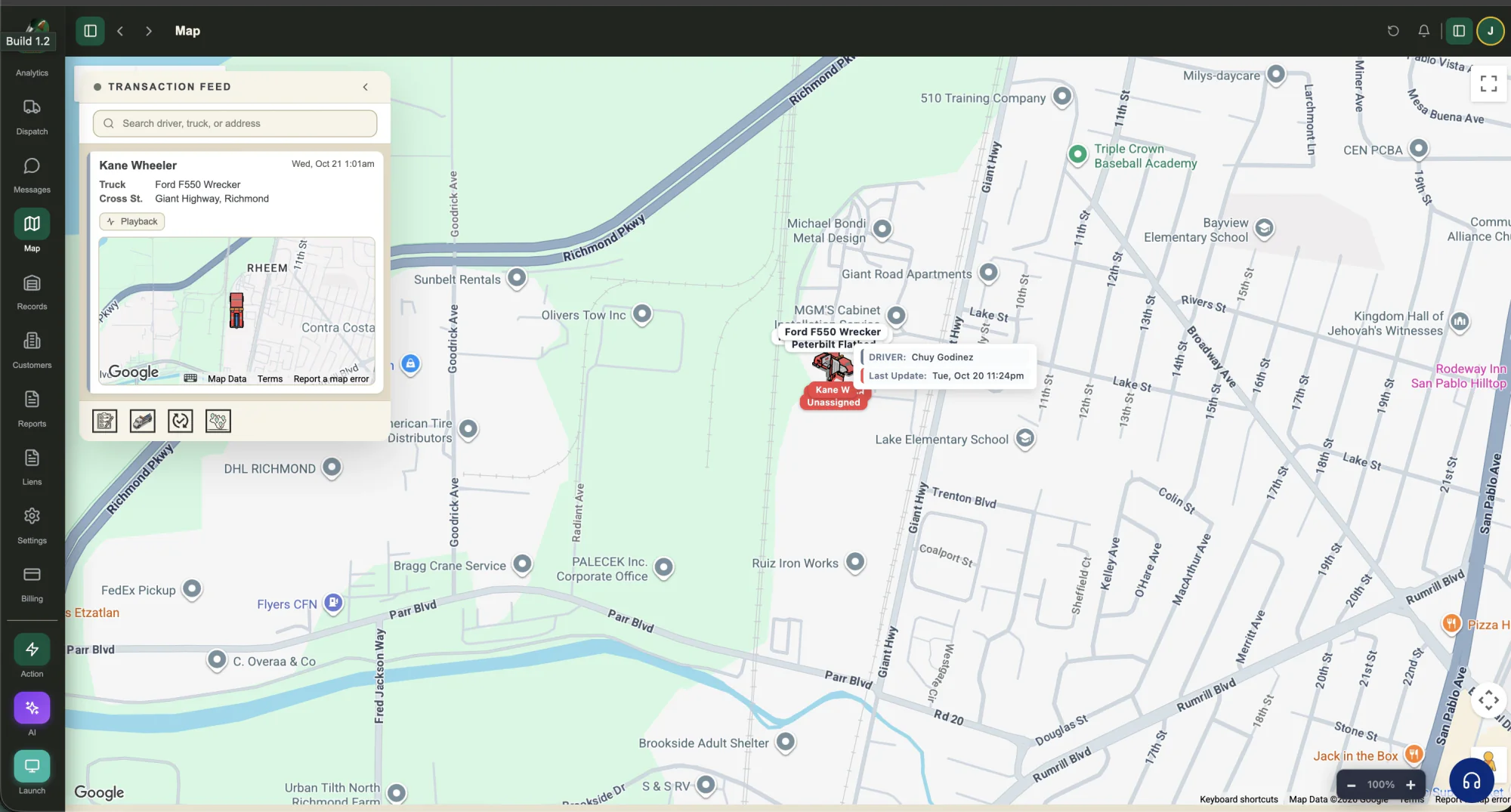
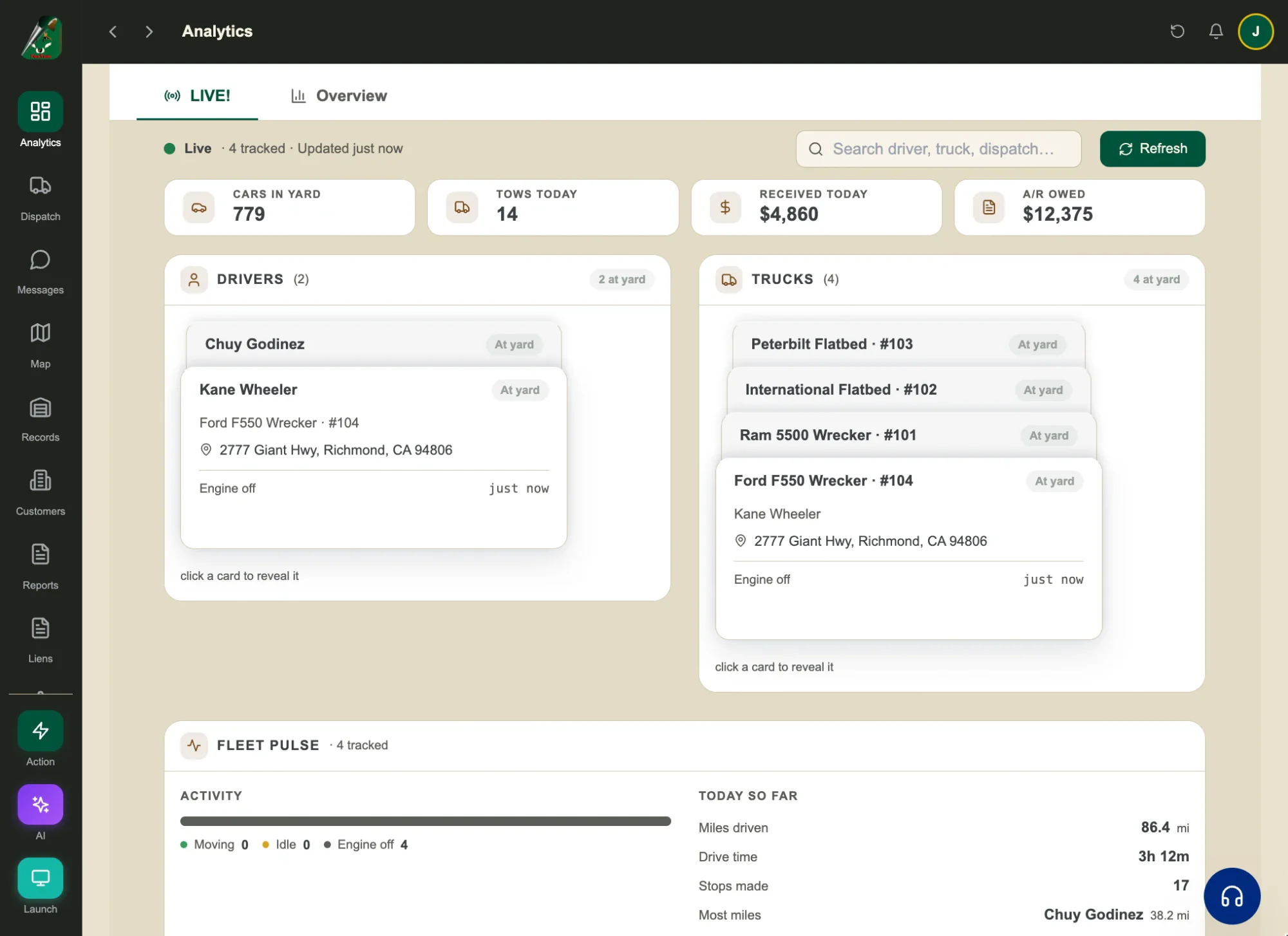
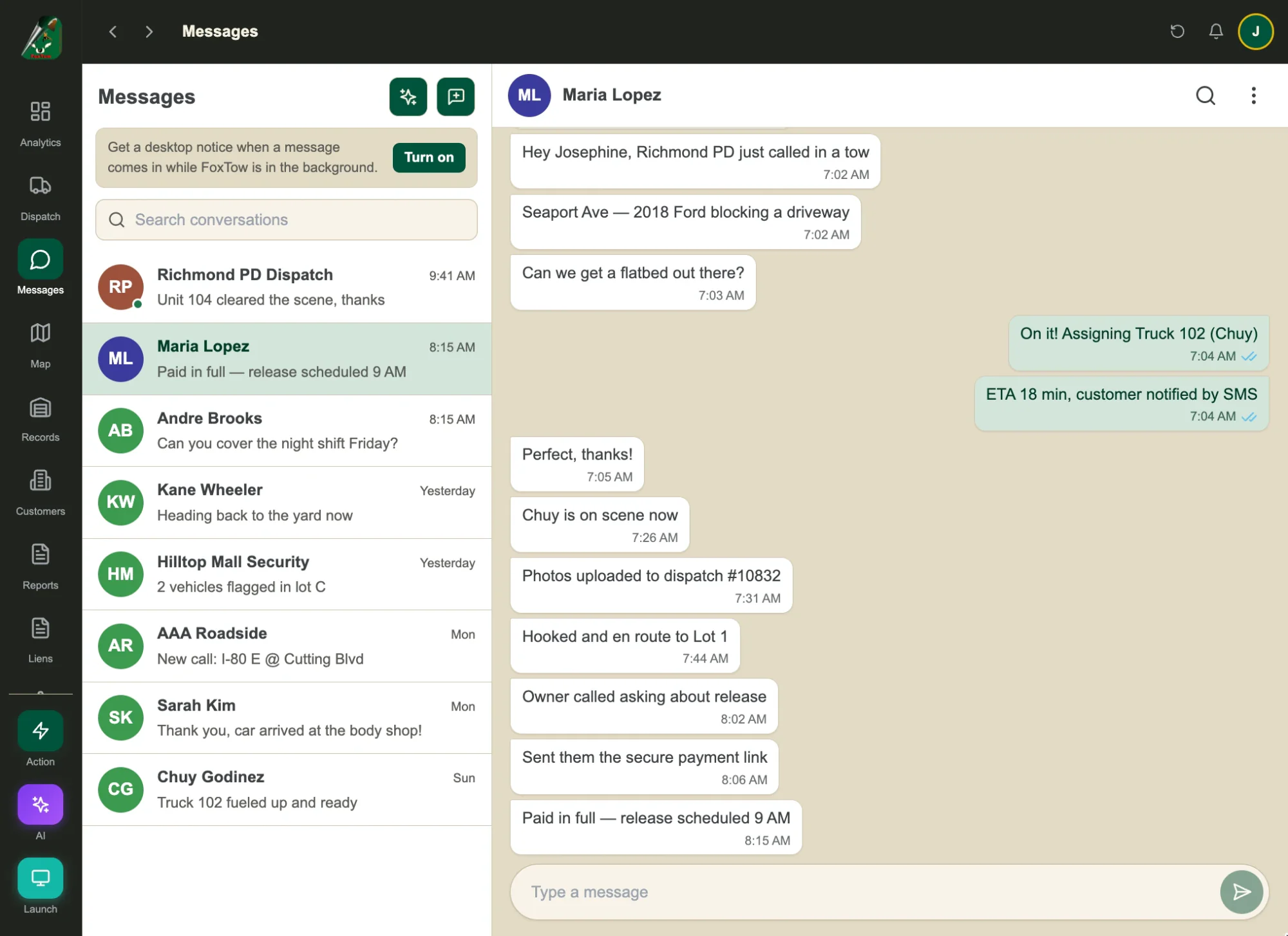
Every call on one live board.
See each call, truck and driver together. Assign a tow and follow it from receive to drop-off.
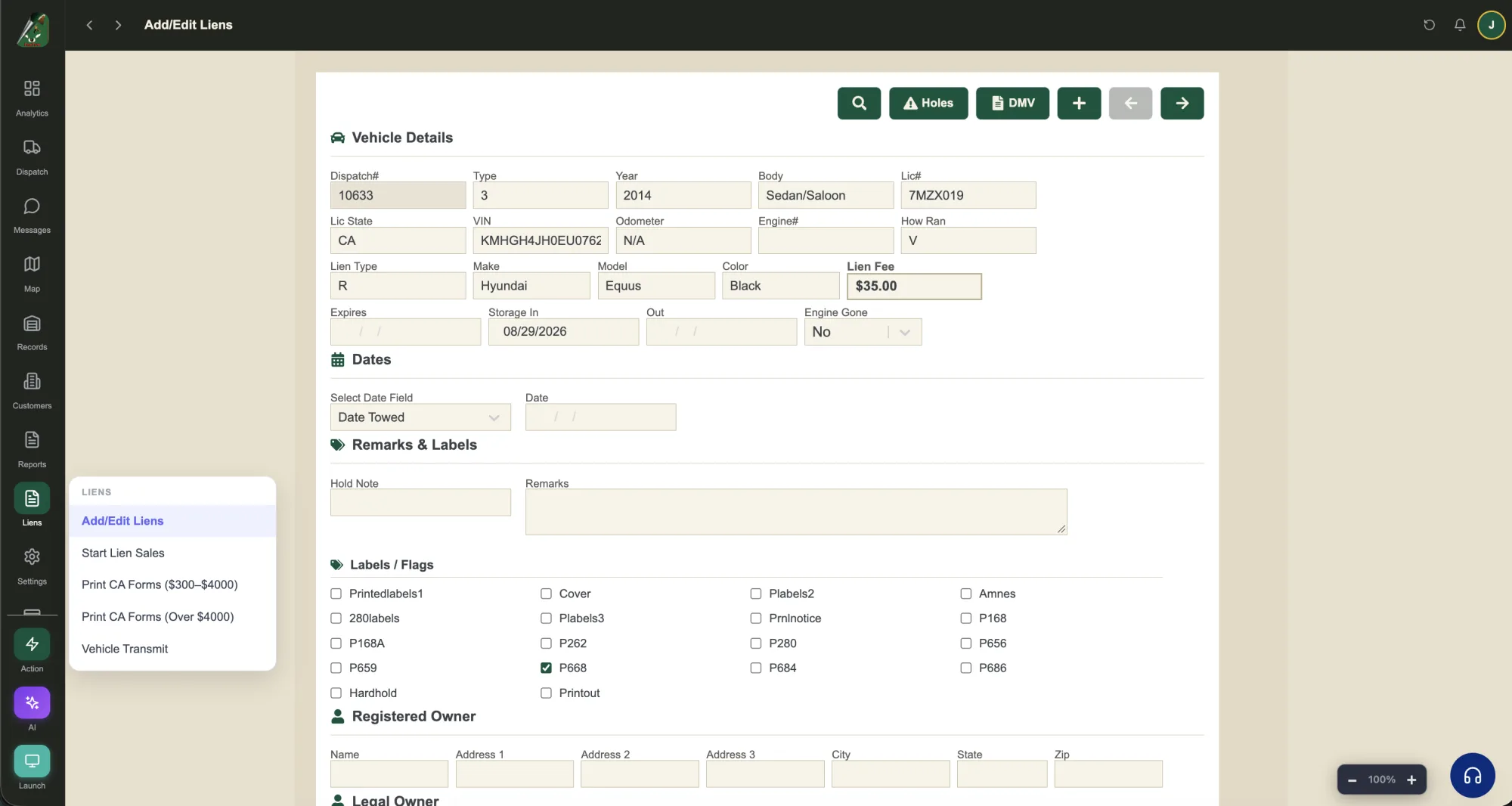
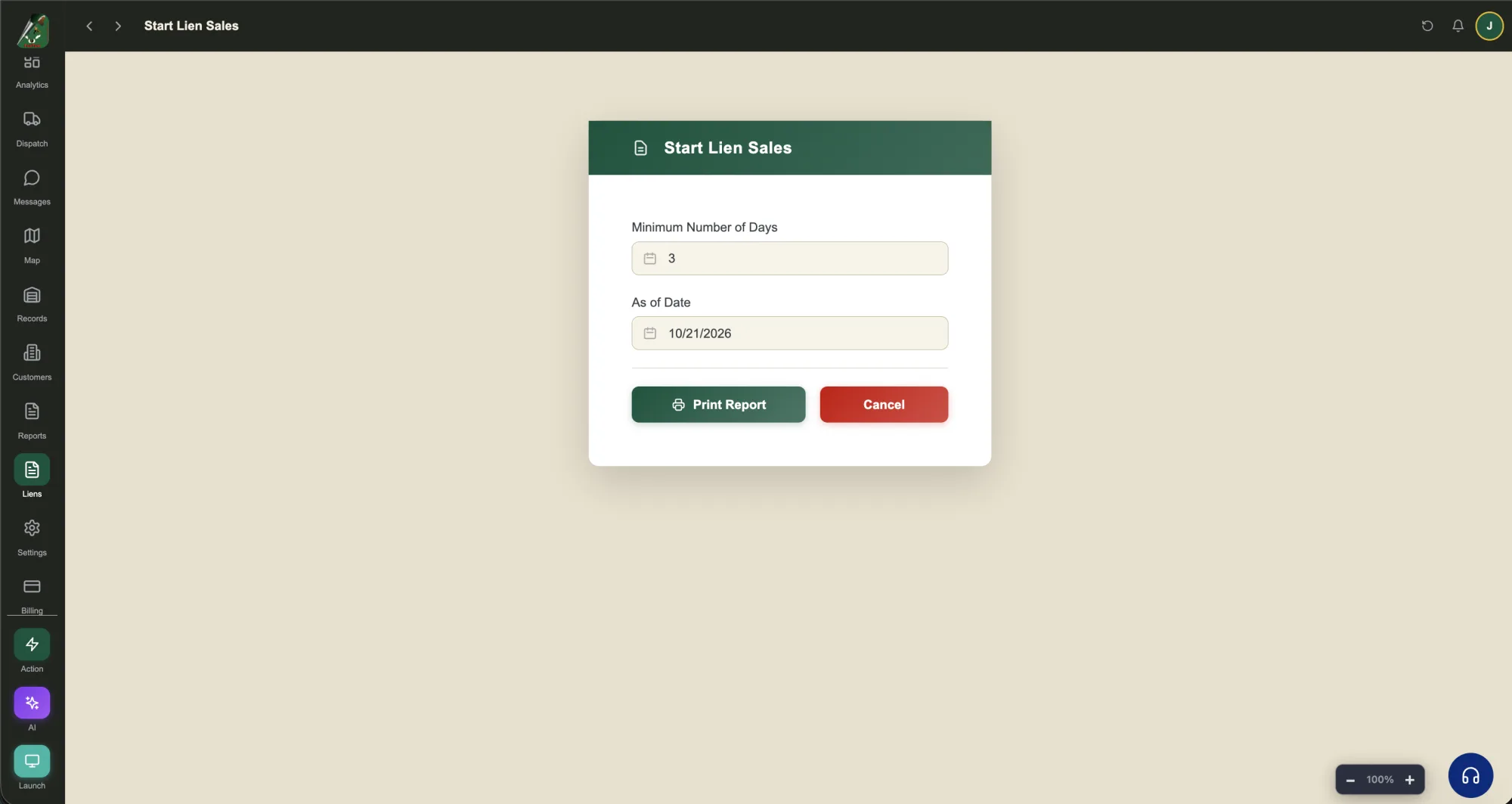
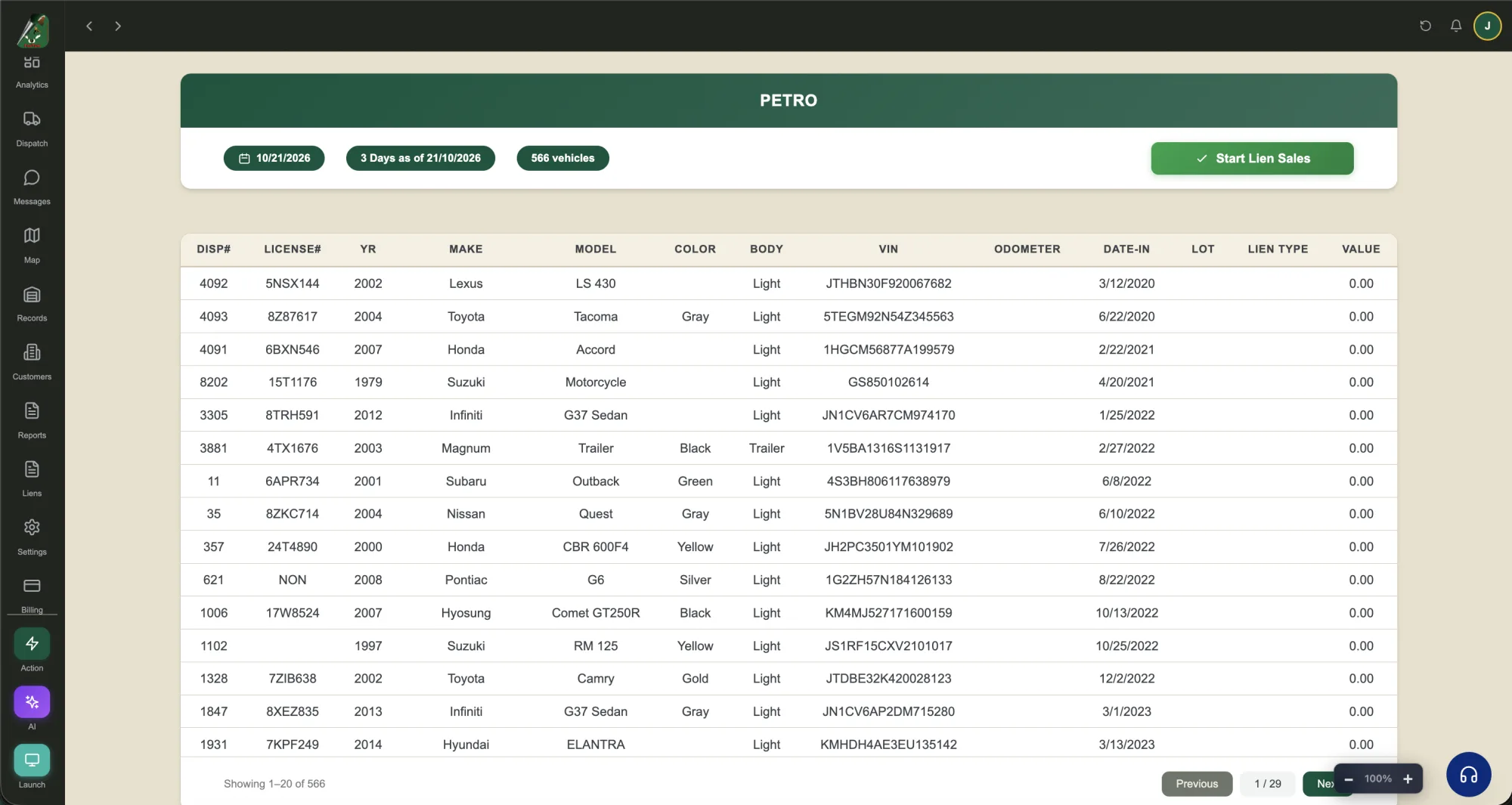
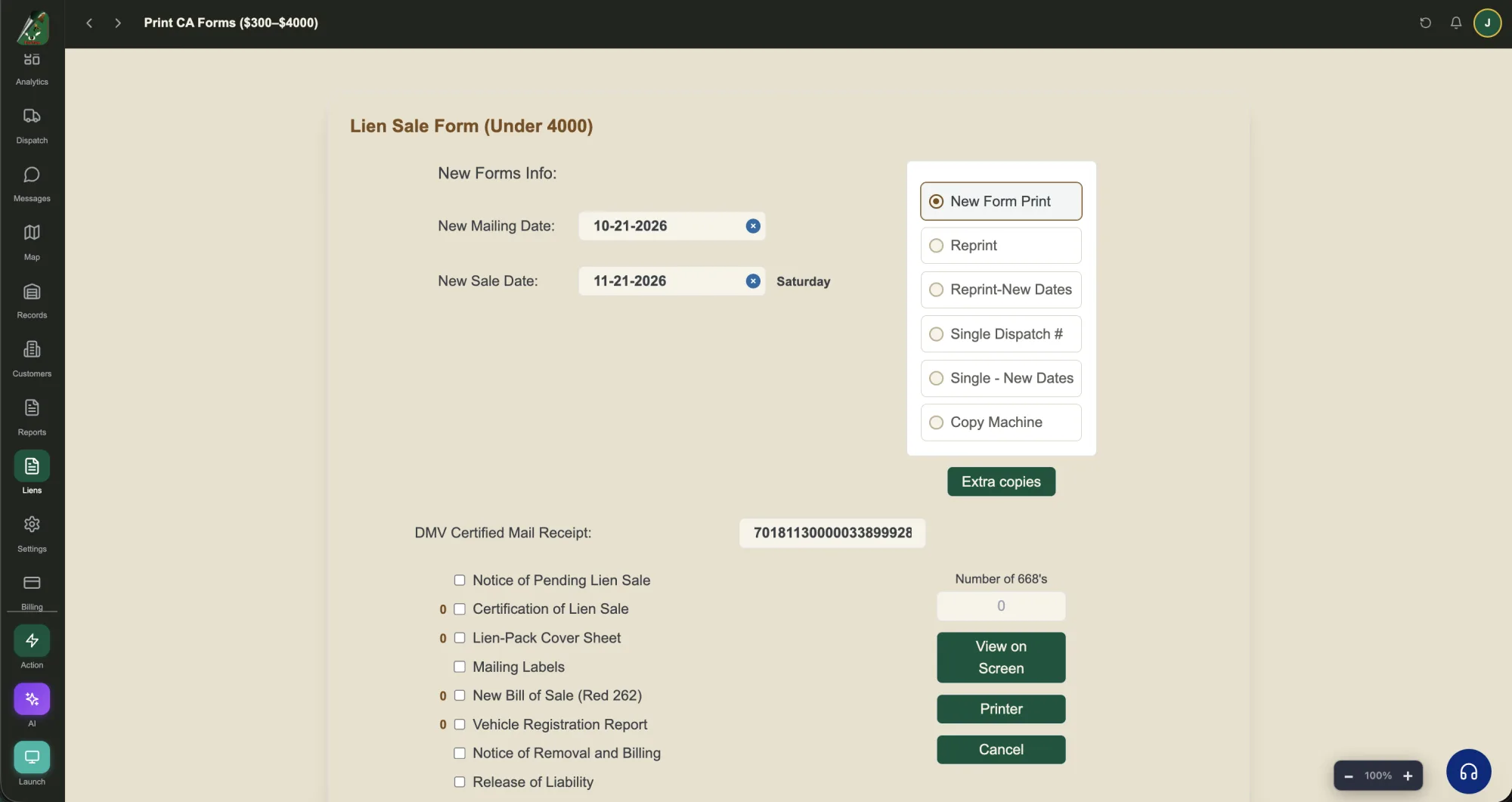
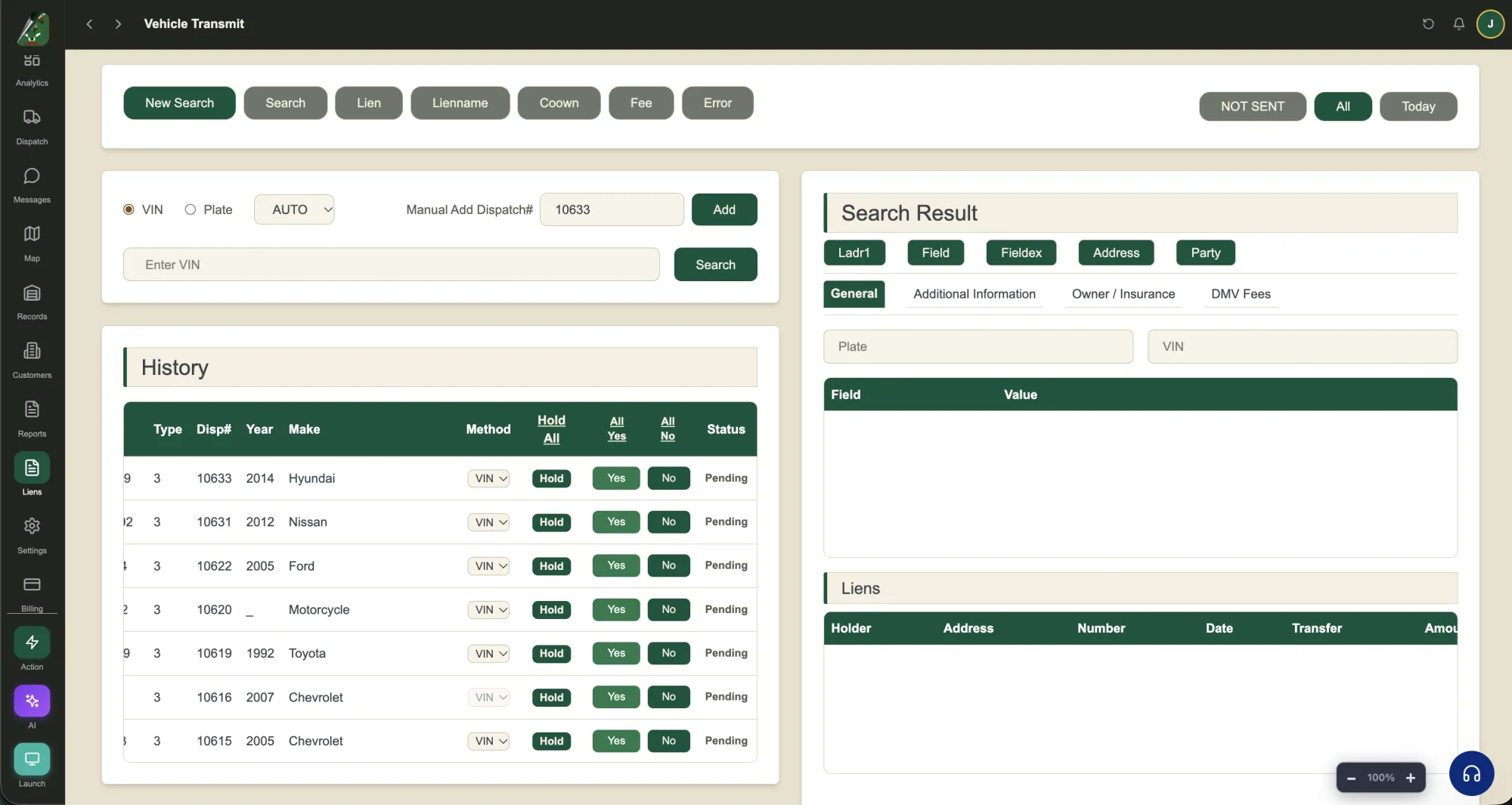
Add the vehicle.
Enter the dispatch number, VIN, plate, make, model and lien fee, then flag the forms you need.
Plans and pricing
Pick a plan by the number of completed jobs and locations you run.
- Dispatch
- Driver app
- Photos and signatures
- See all features
- Everything in Essentials
- Customer updates
- Automated reminders
- See all features
- Everything in Professional
- Advanced automation
- Management dashboards
- See all features
- Larger operations
- Tailored onboarding
- Supported integrations
- See all features
Frequently asked questions
How does FoxTow handle a new tow call?
Dispatch creates the call with the vehicle, location, account, driver and truck, and the driver is notified in the FoxTow driver app right away. The driver accepts and moves through En Route, Arrived, In Tow, Arrived Dest and Completed, and dispatch sees every status change and timestamp live. The live map shows each truck and its active call, so you always know who is free for the next tow.
How do I find a car or a record?
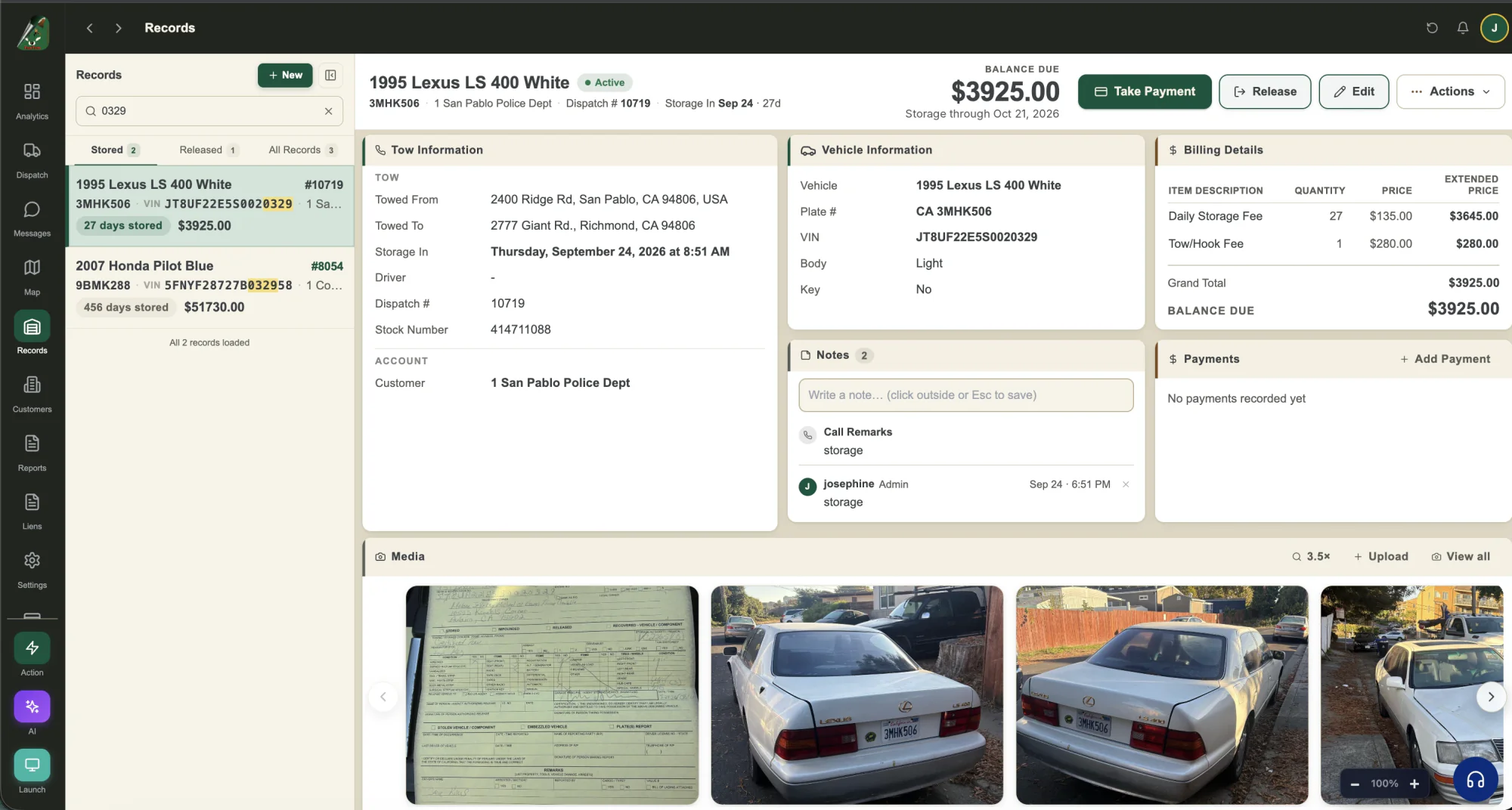
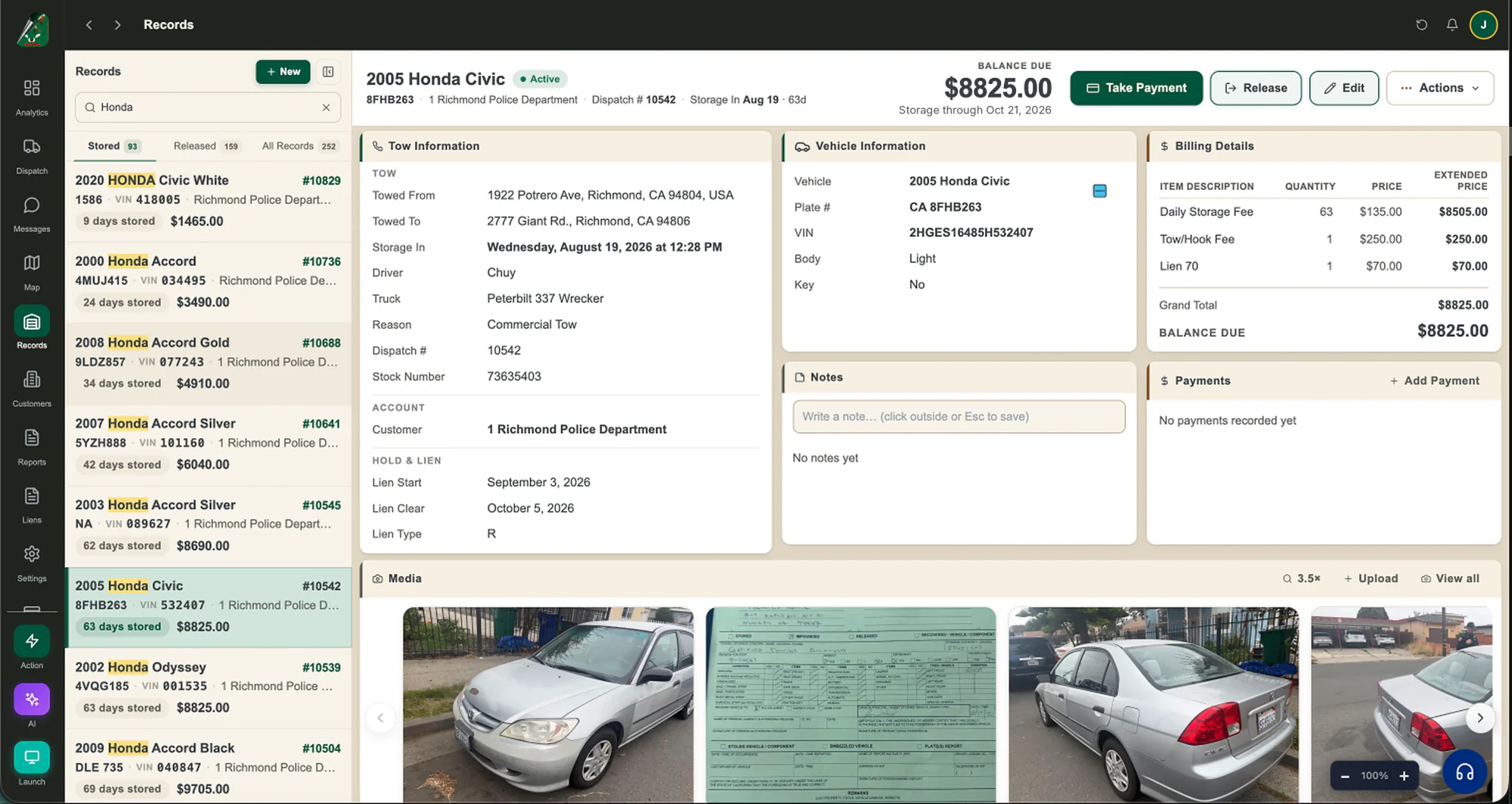
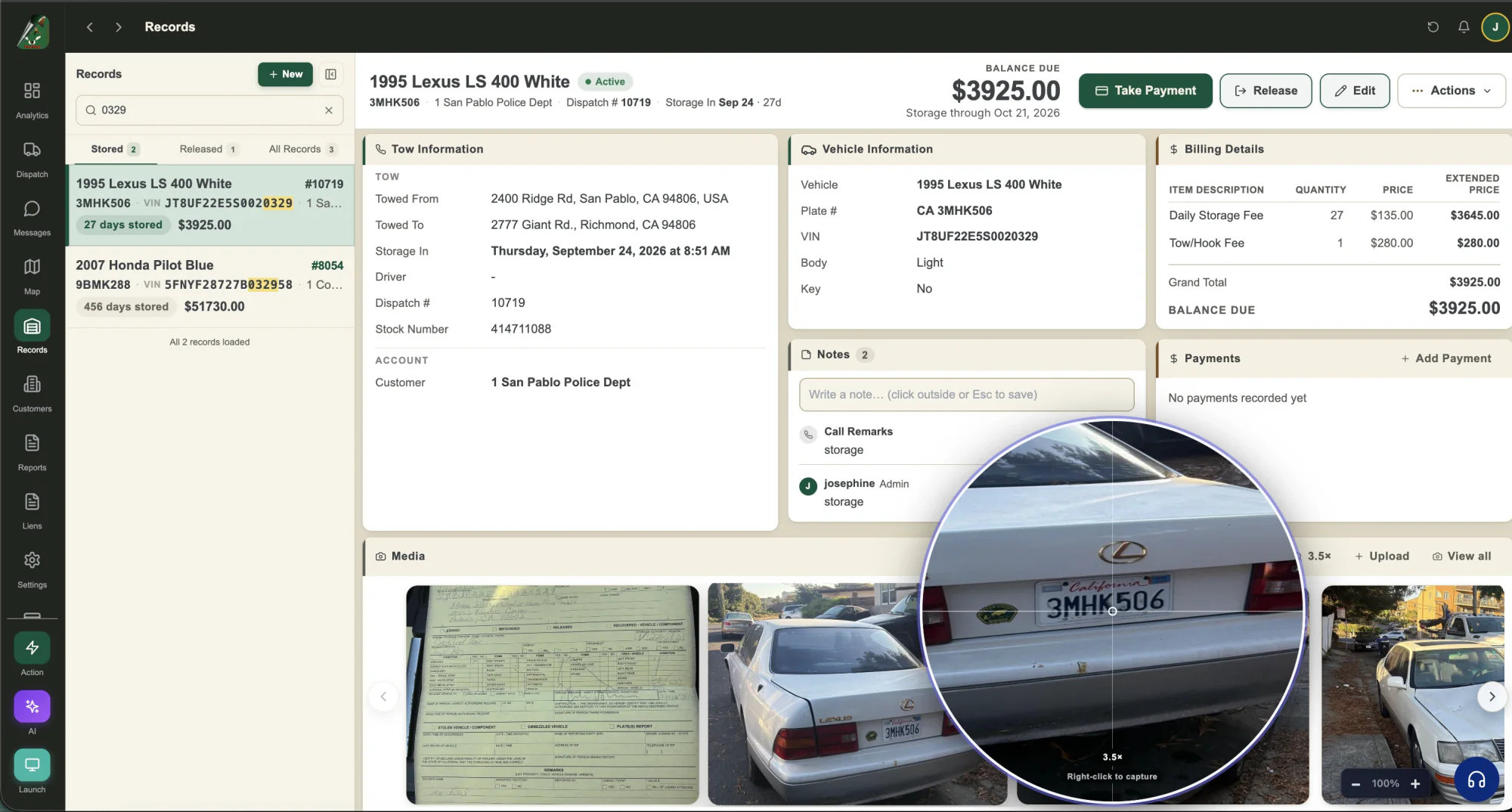
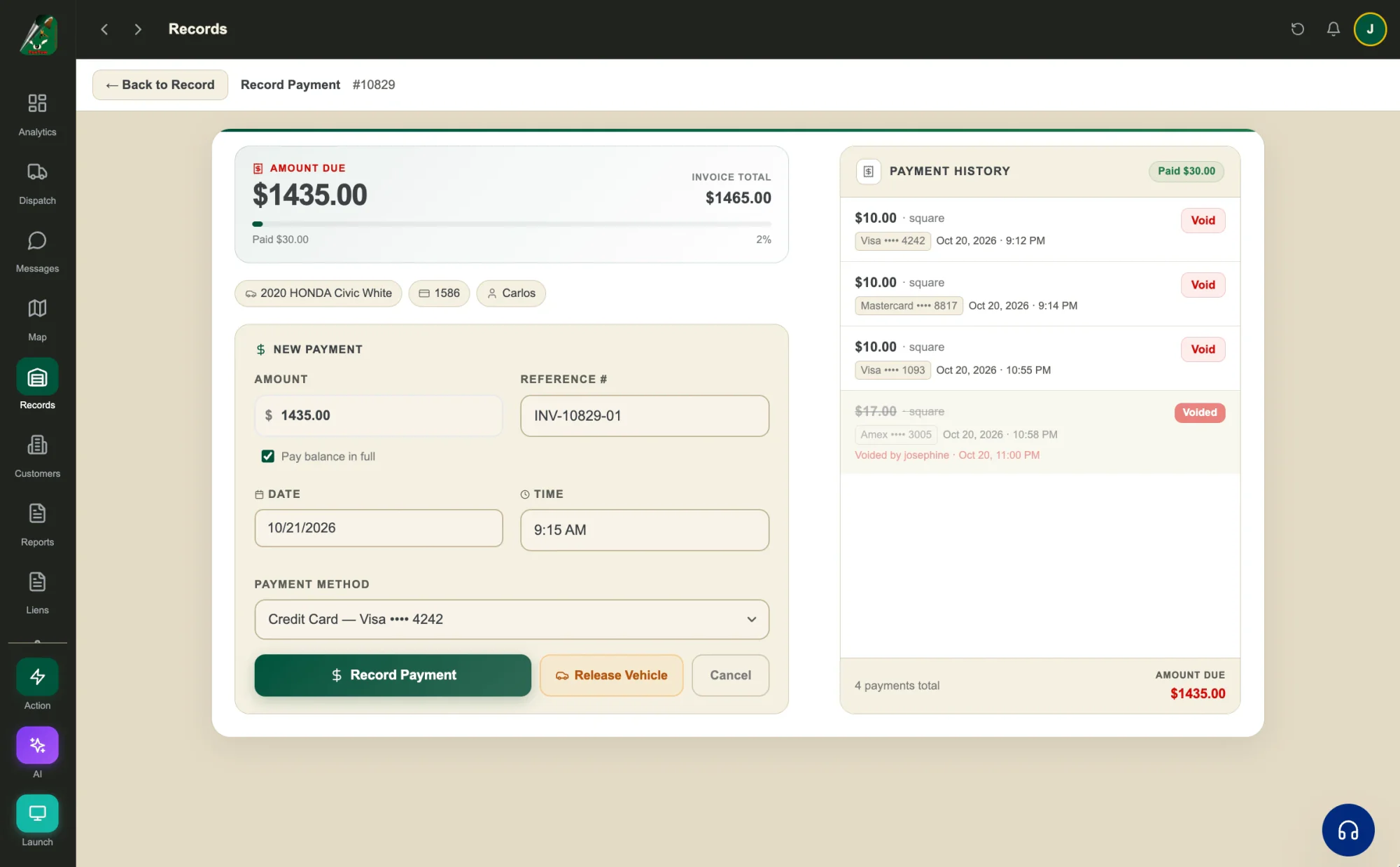
Type any part of a VIN, plate, make or dispatch number in Records, even just the last 4 digits of the VIN, and the matching digits are highlighted in each result. The record opens with tow details, vehicle, itemized billing, notes, payments and every photo on one screen. From there you can record a payment, release the vehicle, upload photos and files, or email and print the invoice.
How does FoxTow handle lien sales?
Lien sales run step by step. Add the vehicle with its lien fee and the forms you need, then set the minimum days in storage and the as-of date, and FoxTow lists every vehicle that qualifies. Print the California forms for vehicles under $4,000 (like the Notice of Pending Lien Sale and Bill of Sale) or over $4,000 (like the Reg 656 and Reg 262), and send DMV inquiries in a batch from Vehicle Transmit, holding any vehicle you are not ready to send.
What can FoxTow AI do?
Ask FoxTow AI about your yard in plain English, by typing or by voice, like which cars have been stored longest and what they owe, and it answers from your own records with a table and the next step. It covers impounds, liens, invoices, revenue, drivers and trucks, with ready-made lien statistics, lot vehicles and weekly stats. In Dispatcher mode it can also find a truck, print an invoice or build a lien packet, and risky actions wait for an admin to approve.
How do payments work with Square?
Connect your Square account in Settings and take card payments in FoxTow, including on the driver’s phone in the field. Receipts and statements you email can include a Square payment link, with an optional tip, and FoxTow can email you when a payment is paid or refunded. Square payments show in your reports, and voiding one refunds the customer’s card through Square.
Can I bring my data from my old system?
Yes. Download your customer list from your old system and import it into FoxTow from Excel. You see a preview first, and nothing is saved until you click Import. Our support team is open 24/7 at contact@foxtow.com if you need help getting set up.

Ready to run your yard from one screen?
Try every part of FoxTow free. No contract, no setup fees, and our team is here to help you get started.
Free with your trial: The Ultimate GPS Tracking Guide, covering the 20 best brands with prices and photos.